
Store Page Builder for WooCommerce
Turn a CSV into a finished set of category and product pages, then show them in clean card grids anywhere on your site.
What it does
Import your categories and products from a spreadsheet, preview the result before anything is saved, then drop a shortcode into any page to show them as tidy cards. Colours, wording and links are all settings.
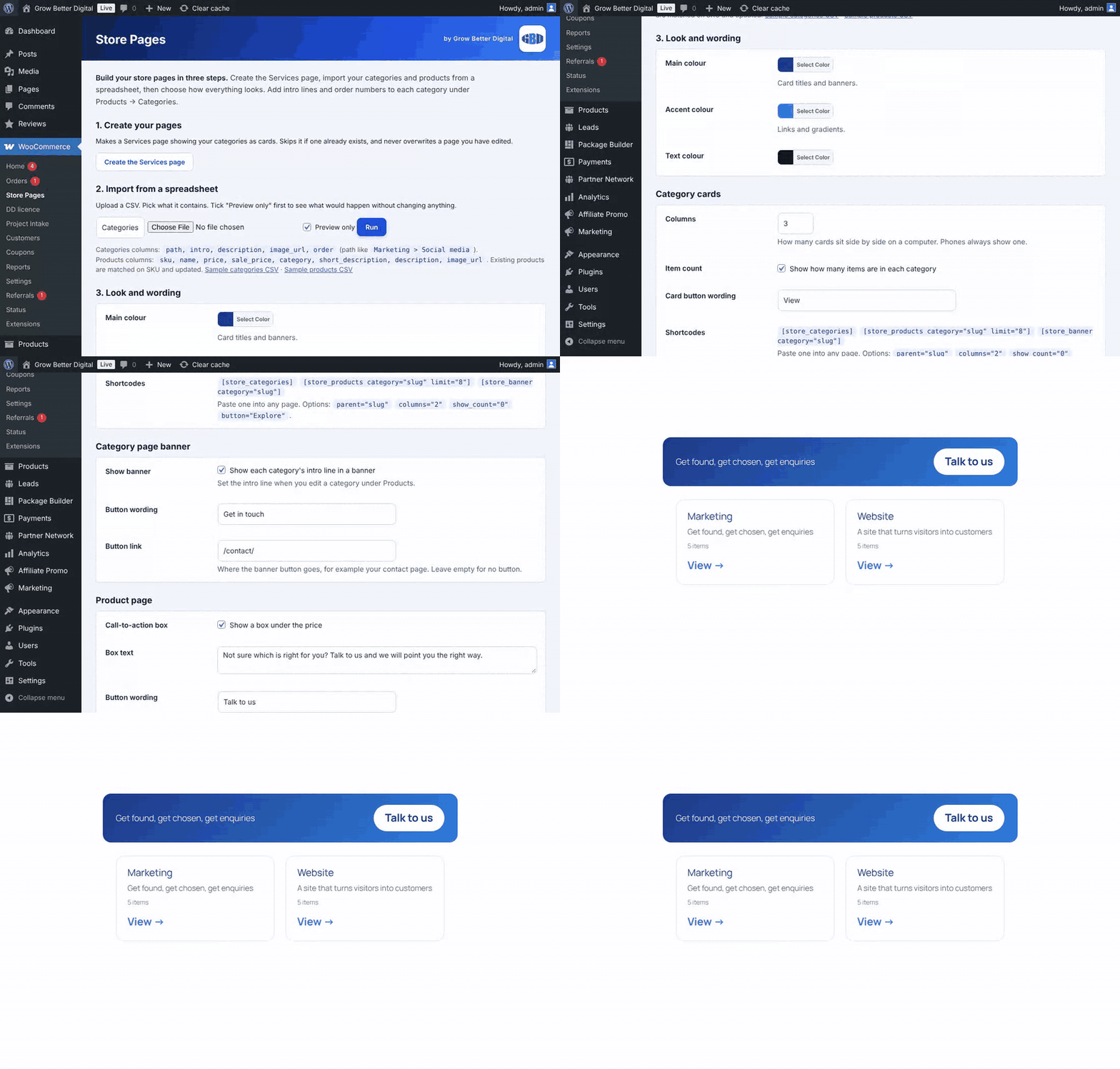
Category cards that sell
A clean grid of categories with a short blurb, item count and a button.

Set the look in one place
Choose colours, columns, wording and links under WooCommerce, Store Pages.
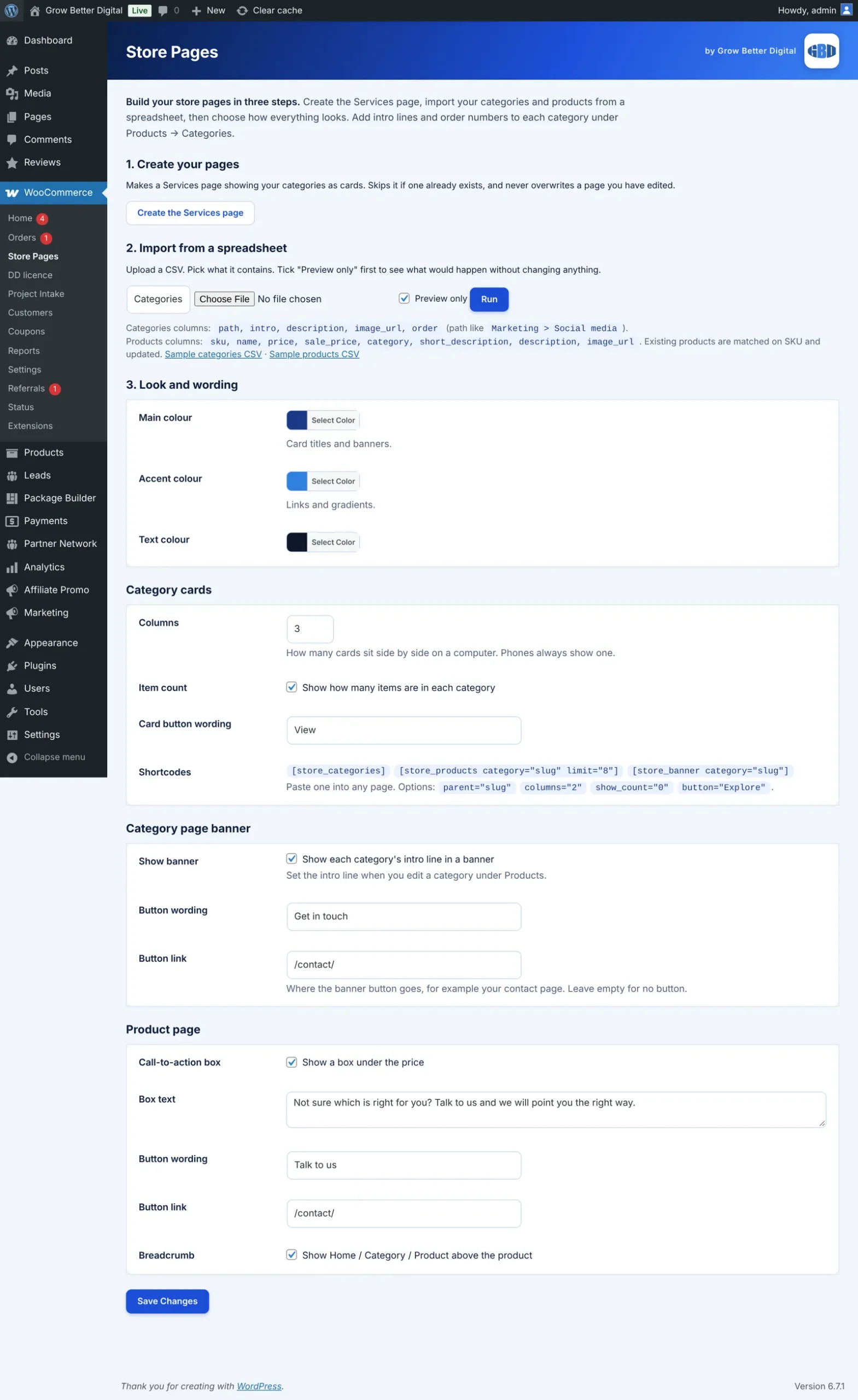
Three steps to a finished store
Create the Services page, import categories and products from a spreadsheet with a preview first, then choose how everything looks.
Then connect it up with the GBD Product & Category Image Uploader
Once your products are in, pair the Store Page Builder with the GBD Product & Category Image Uploader plugin so every photo lands on the right product.
Name each photo after its SKU. A photo called mug-blue-01.jpg belongs to the product with the SKU MUG-BLUE-01. Category photos are matched to their category by name in the same way.
Upload them to your Media Library, then press one button. Each photo is matched to its product and set as the product image, and the alt text is filled in for you where it is empty.
Safe to run again. Products that already have an image are left alone, and you get a list of any SKU that still has no photo.
Key features
- Import categories and products from CSV, with a preview first
- [store_categories] card grid
- [store_products] product cards
- [store_banner] intro banners on category pages
- Call to action and breadcrumb on product pages
- Colours, wording and links set in WooCommerce, Store Pages
- Sample CSV files to start from
- Pairs with the GBD Product & Category Image Uploader to attach photos by SKU and category name
The problem it solves
Setting up a store category by category and product by product takes ages, and default WooCommerce category pages are plain. Showing them nicely on your own pages usually means a page builder or custom code.
What you get
Set up in minutes
Import a spreadsheet and your categories and products appear.
Preview before it is saved
See what the import will do before anything changes on the site.
Looks finished
Card grids and banners match your brand without a page builder.
Built because stores should not take weeks
We set up a lot of stores, and the slow part was always getting products in and presented properly. This puts both in one tidy tool.
How it compares to what is already out there
| Alternative | Typical price | What it is, and where this differs |
|---|---|---|
| WP All Import (WooCommerce Import Package) | $169 per year | A powerful general-purpose import tool for products, orders and more. It does not design your category grids or banners. |
| Grow Better Digital Store Page Builder | Price to be announced | Import and presentation together, built for a simple store. Join the waiting list to hear the price first. |
Prices are the vendors’ published figures in US dollars, checked on 7 November 2026, and may change. Product names belong to their owners. Grow Better Digital is not affiliated with any of them.
Be first to get the Store Page Builder
We are getting it ready for other businesses to buy and use themselves. Join the waiting list and we will tell you first, with early-access offers.
Quick answers
Can I try an import without saving it?
Yes. It shows a preview first, and nothing is saved until you confirm.
How do my product photos get connected to the right products?
Name each photo after its SKU and upload it to the Media Library. The GBD Product & Category Image Uploader then matches every file to its product and sets it as the product image. Category photos are matched by category name. Products that already have an image are left alone.
Does it need a page builder?
No. The shortcodes work in the normal editor.
Want help growing your business now?
Talk it through with Daniel on 01733 855183.