
Product & Category Image Uploader for WooCommerce
Name your photos after your SKUs and category names, upload them, and every photo lands on the right product or category.
What it does
Drop a folder of photos in, see exactly what will be matched before anything changes, then attach them all with one button. No more opening products one by one to set the image.
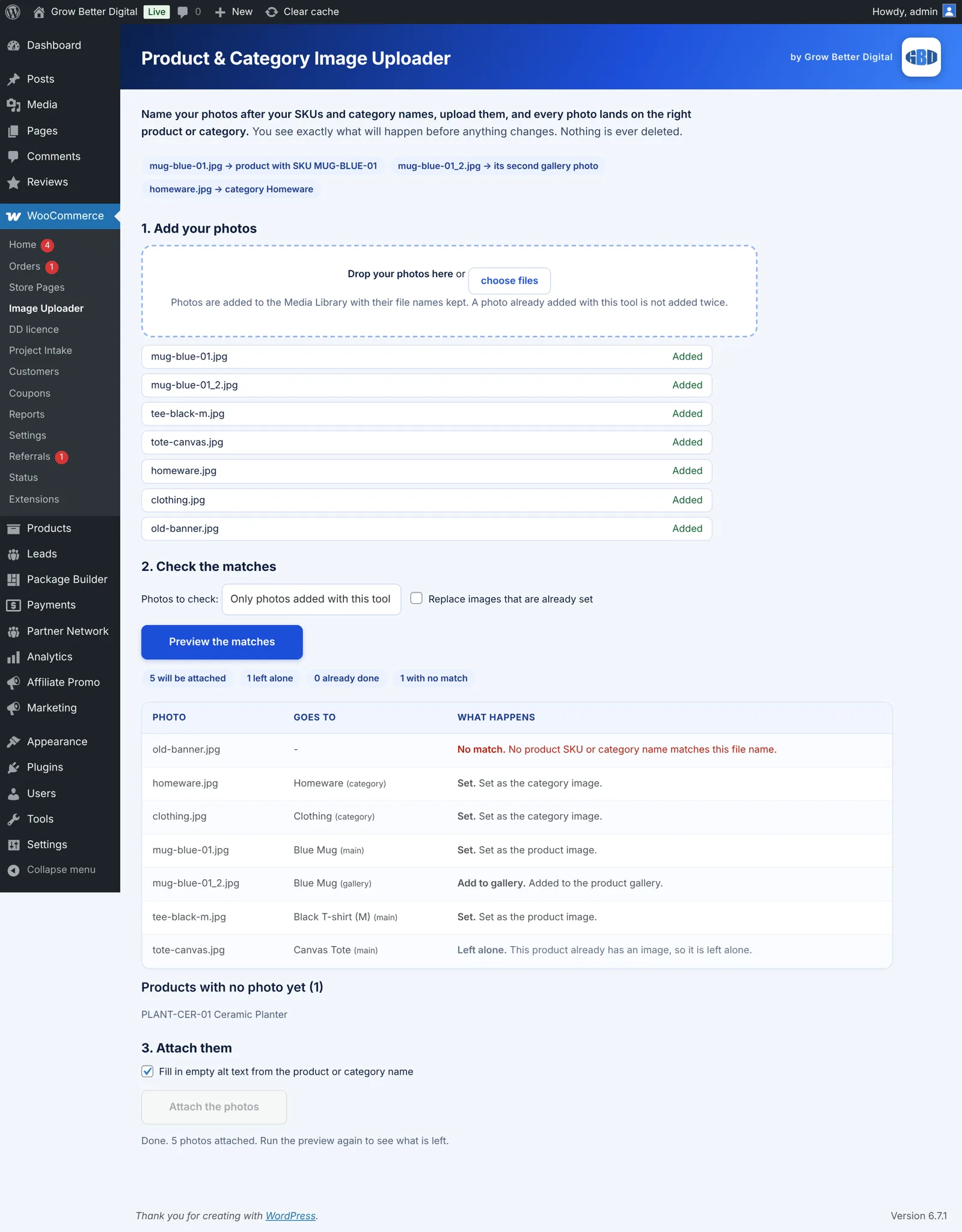
Add your photos
Drop them in or choose files. They go into the Media Library with their file names kept, and a photo added twice is not duplicated.
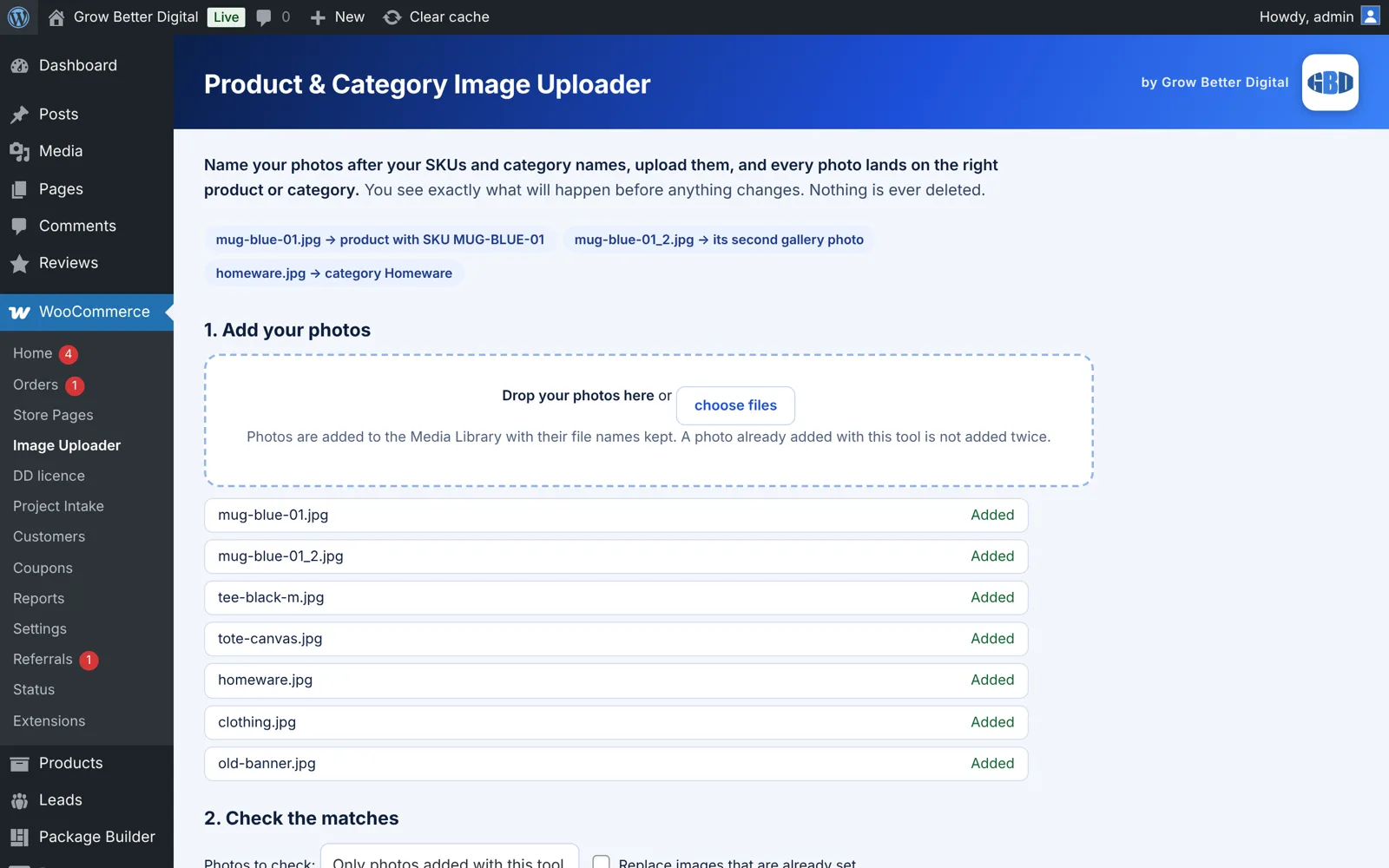
Check the matches first
The preview shows each photo, where it goes and what will happen: set, add to gallery, left alone, or no match. Nothing is saved yet.
SKU match: mug-blue-01.jpg becomes the image for SKU MUG-BLUE-01. mug-blue-01_2.jpg becomes its second gallery photo. homeware.jpg becomes the Homeware category image.
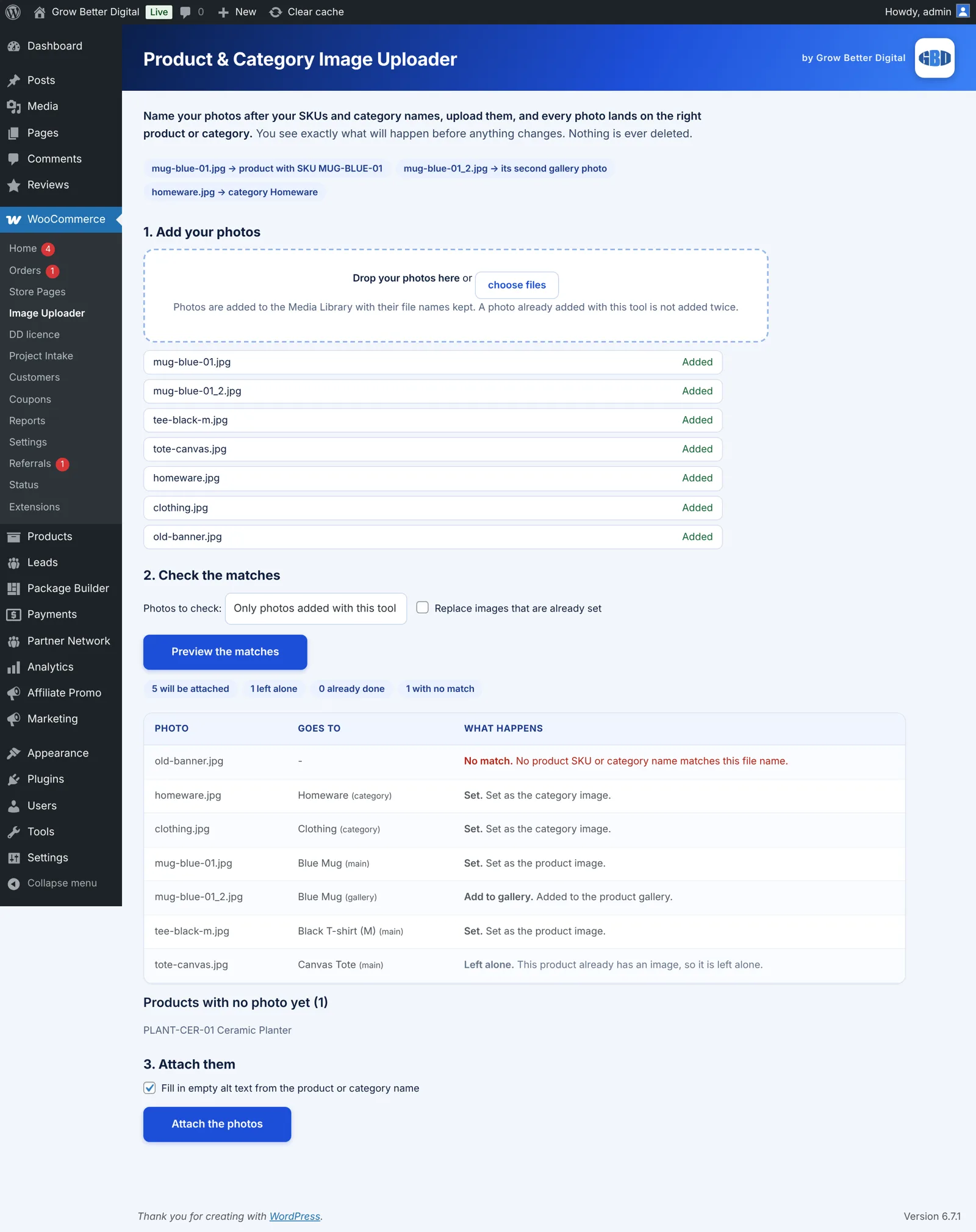
Attach them in one go
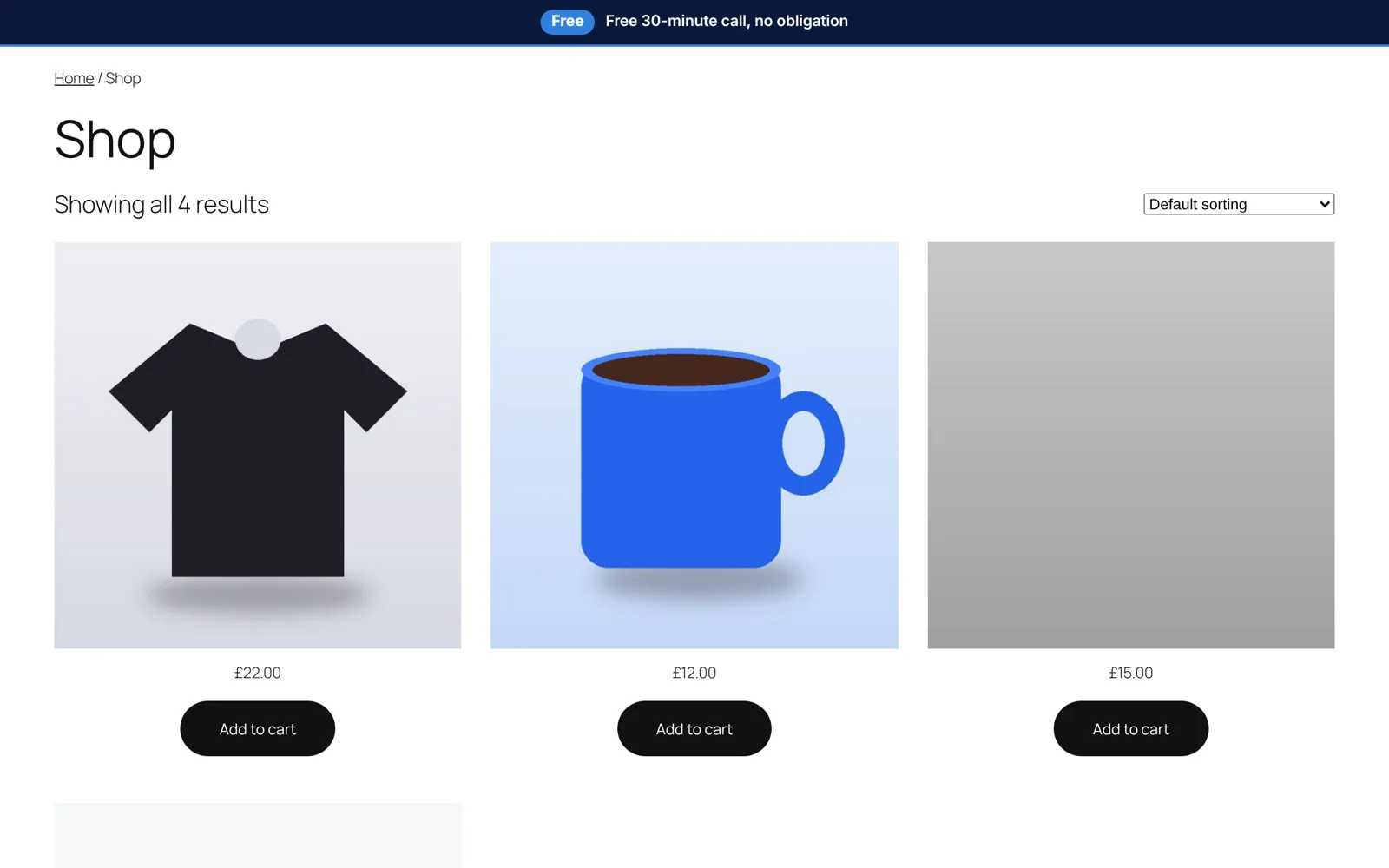
One button sets the images and fills in empty alt text from the product or category name. Products that already have an image are left alone unless you choose to replace them, and you get a list of any product that still has no photo.
Key features
- Matches photos to products by SKU, including variations
- Extra photos (_2, _3) go to the product gallery
- Category photos matched by category name
- Preview before anything is changed
- Alt text filled in where empty
- Safe to run again, nothing is ever deleted
- Report of products that still have no photo
- Pairs with the GBD Store Page Builder for WooCommerce
The problem it solves
Adding a photo to each product by hand is slow, easy to get wrong, and gets worse with hundreds of products. Importing a CSV with image links needs every photo hosted somewhere first.
What you get
Hours back
Hundreds of photos matched in a minute instead of product by product.
No surprises
See every match first. Existing images are protected.
Better SEO
Alt text is filled in for you, so images are not left blank.
Pairs with the Store Page Builder and Image Speed Helper
Import your products with the Store Page Builder for WooCommerce, then use this to connect every photo to its SKU. Once your photos are attached, the Image Speed Helper keeps them light so your product pages load quickly. Finish with the Meta Description Writer to add the search descriptions.
Be first when it is released
Join the waiting list and we will email you when it is ready, with early-access offers.
Quick answers
How are photos matched to products?
By file name. A photo named after a product SKU becomes that product’s image. A name ending _2, _3 and so on adds it to the gallery. A name that matches a category name becomes the category image.
Will it overwrite my existing images?
No, not unless you tick the option to replace. Products that already have an image are left alone.
Can I see what it will do first?
Yes. The preview lists every photo and what will happen. Nothing changes until you press Attach.
Does it delete anything?
No. It never deletes products, photos or categories.
Do I need the Store Page Builder?
No, it works on any WooCommerce store. The two are designed to work well together.
Want help growing your business now?
Talk it through with Daniel on 01733 855183.